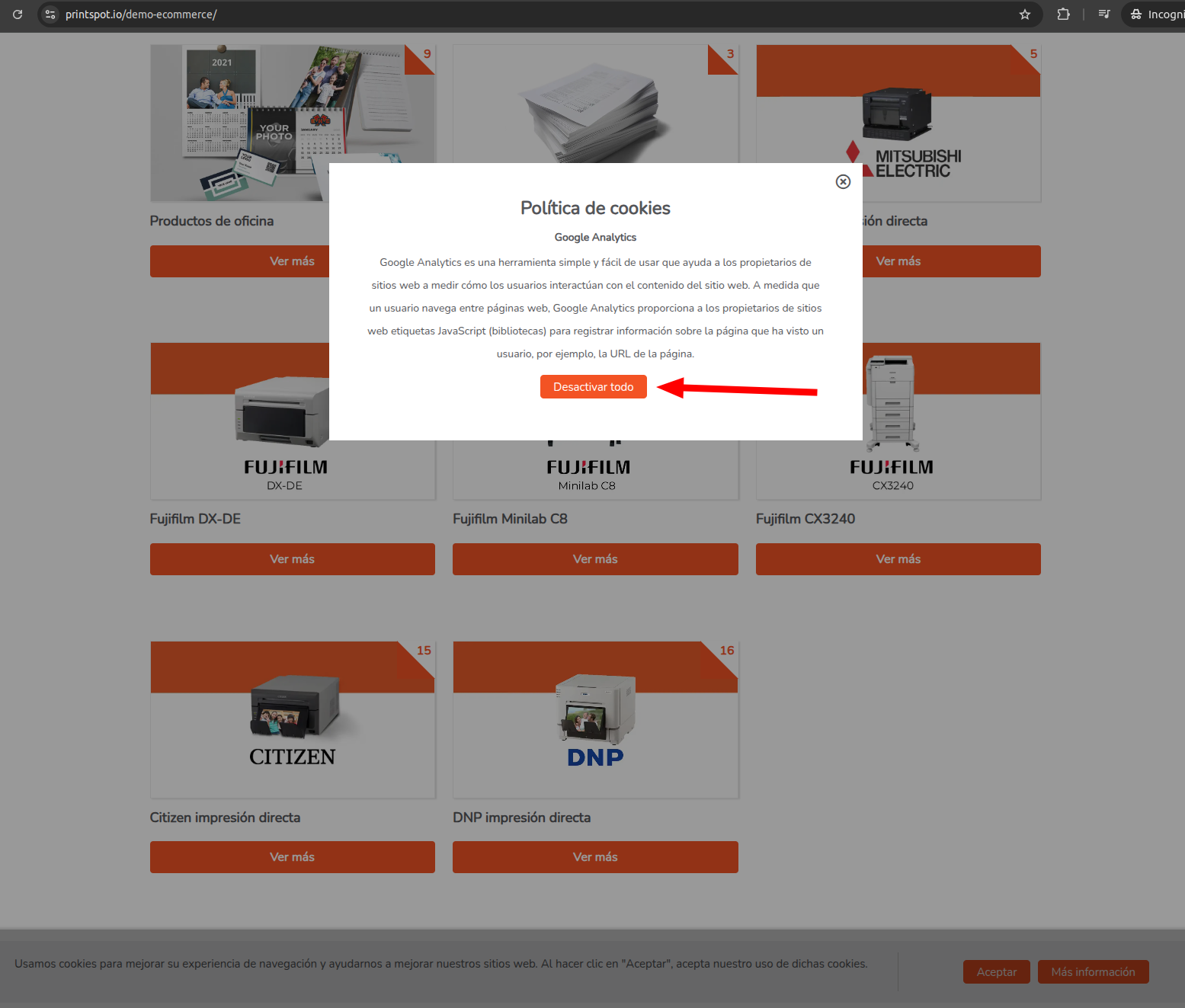
In this tutorial, we will explain everything about the cookie policy in your Printspot store to ensure compliance with legal regulations and offer a better experience to your users.
What are cookies and what are they for?
Cookies are small text files stored in the user’s browser that allow for:
- Improving the browsing experience, by remembering preferences and settings.
- Tracking user behavior, which is useful for analytics and marketing.
- Complying with legal regulations, especially the General Data Protection Regulation (GDPR) and the Cookie Law in Europe.
It is mandatory to inform users about the use of cookies and obtain their consent before storing any data on their devices.
What are third-party cookies?
Third-party cookies are small files stored in the user’s browser that are not generated directly by the website the user is visiting, but by an external provider.
These cookies are usually used by services integrated into the website, such as:
- Analytics and metrics: Tools like Google Analytics or Hotjar collect data on user behavior on the web.
- Advertising and remarketing: Advertising networks such as Google Ads, Facebook Ads, or Criteo use these cookies to display personalized ads based on user activity.
- Widgets and embedded content: Third-party functionalities, such as YouTube videos, Google Maps maps, or social media share buttons.
Why is it important to manage third-party cookies?
-
Legal compliance: Many regulations, such as the General Data Protection Regulation (GDPR) in Europe or the California Consumer Privacy Act (CCPA), require explicit user consent before installing third-party cookies.
-
User privacy: Third-party cookies often track user behavior across different websites, which can compromise their privacy if not properly informed.
-
Transparency: Showing the user which cookies are being used and allowing them to manage their preferences builds greater trust in your website.
Activate the third-party cookie notice in Printspot
Now that you know what third-party cookies are, in the next steps we will explain how to activate and configure them simply.
Step 1: Enable third-party cookies in the “Web Tracking” section
The third-party cookie usage notice will only be displayed if your Printspot actually uses third-party cookies. To activate these cookies, go to the “Web Tracking” section in your Printspot administration panel and configure the necessary integrations there.
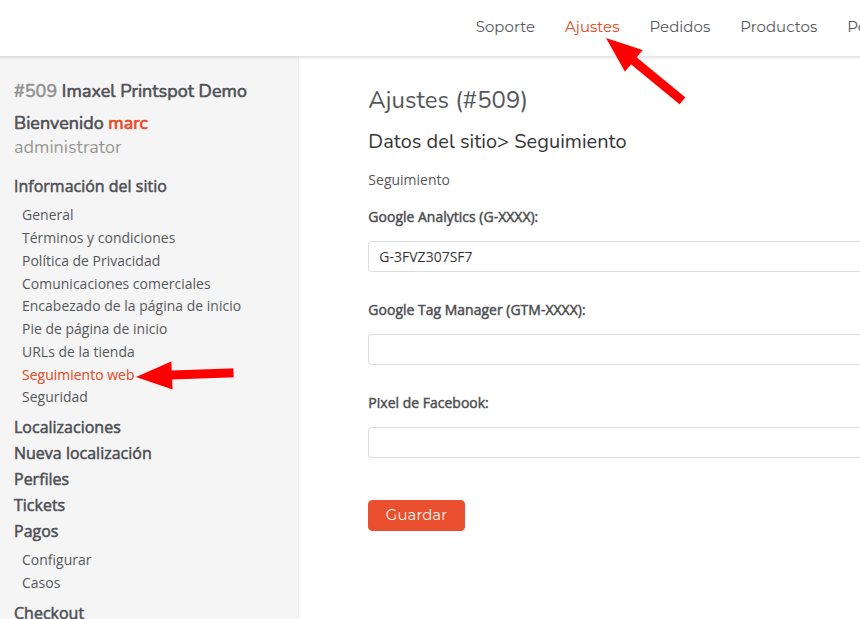
The web analytics and tracking tools available for Printspot are: Google Analytics, Google Tag Manager, and Facebook Pixel.
Step 2: Display the cookie notice in Printspot
The cookie notice will only be displayed if any of these tools are activated in Printspot and the user has not given their explicit consent to accept or reject the use of cookies.
This notice will appear visibly on the web’s main page for all accessing users, ensuring compliance with privacy and data protection regulations.
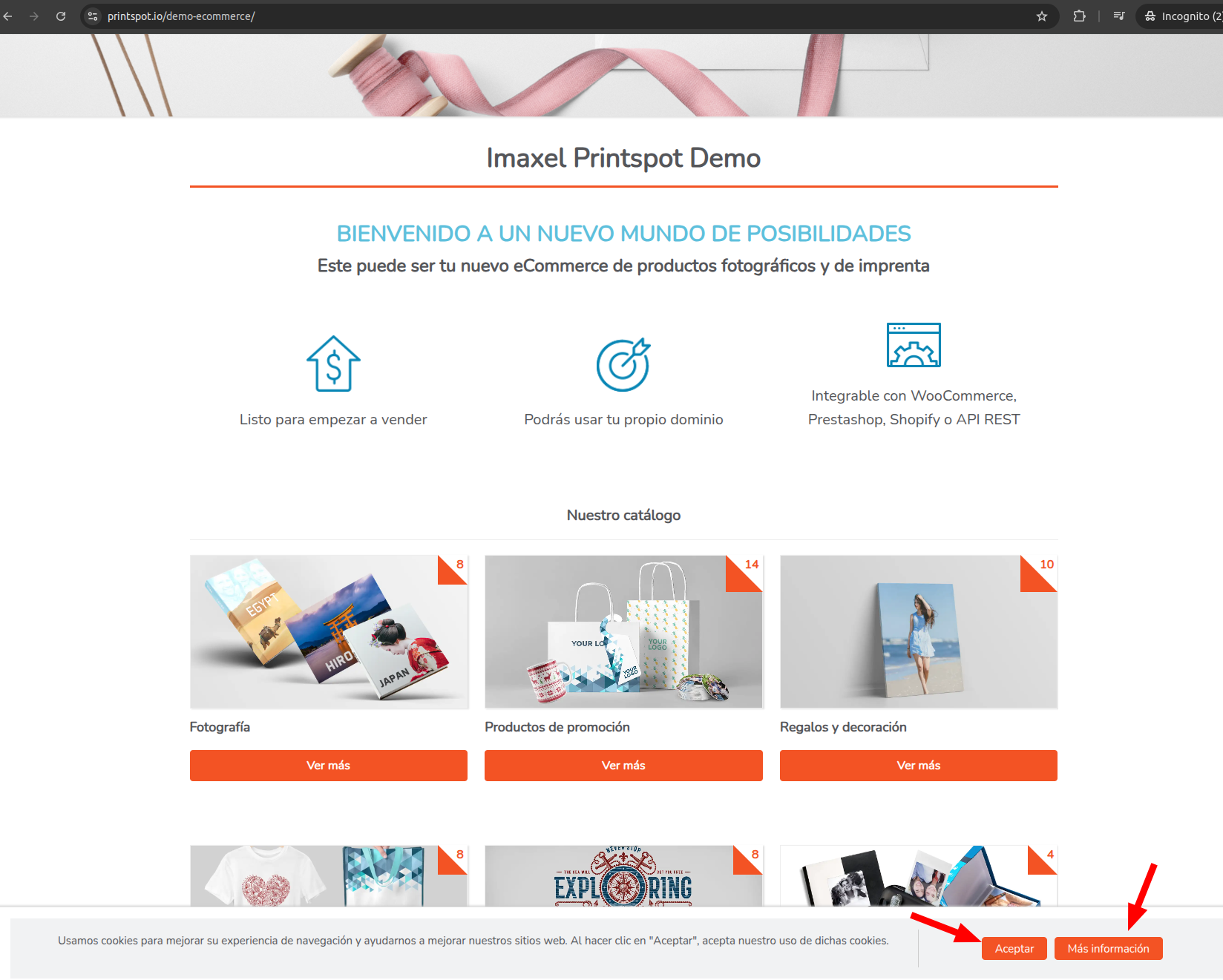
By clicking the “Accept” button, you are giving your express consent for the use of cookies in Printspot. This preference is saved for 1 year, meaning you will not see the cookie notice again until this period has passed.
The “More information” button provides you with details about the active web tracking tools in your Printspot, specifically showing which ones are being used.
In this window, you will also find the “Deactivate all” button, which allows you to explicitly reject the use of cookies. By selecting this option, Printspot will remember your preference for 1 year, preventing you from being asked about cookie usage on that website again until this period ends.
In summary:
- Accept: You consent to the use of cookies for 1 year.
- Deactivate all: You reject the use of cookies for 1 year.
- More information: Shows you which cookies are being used and for what purpose.
This configuration guarantees a personalized and respectful browsing experience toward the user’s privacy preferences.